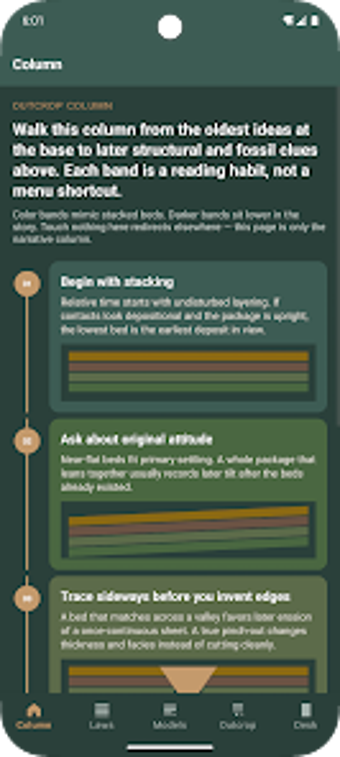
StrataLens: hands-on stratigraphy practice and reference for Android
Explore rock-layer relationships with interactive practice scenarios and concise law summaries: Superposition, Original Horizontality, and Cross-Cutting Relations. StrataLens, from DuAoCheng, is an Android lifestyle app that pairs short reference entries with relative-order exercises. The app bundles fossil succession study, cross-cutting analysis, and a local note area into a compact study tool. It's aimed at geology students, hobbyist rock-hounds, and science enthusiasts who want focused, on-device revision of stratigraphic reasoning.
How the app teaches core stratigraphic thinking
StrataLens focuses on applying classical laws to field-style problems, presenting concise summaries of the Law of Superposition and Original Horizontality alongside practice scenarios that ask you to determine relative age and order. The app also includes guidance on Cross-Cutting Relationships and Fossil Succession so users can test deductions about sequence and correlation. The combination of brief theory and hands-on questions makes study sessions task-oriented rather than encyclopedic.
How it fits into a study routine and device use
The app runs on Android and stores progress and notes locally, so you can study offline while in the field or during commutes. Local note-taking lets you save observations on a device without creating an account. The interface is described as simplified, which reduces onboarding friction: navigation concentrates on reference pages and practice screens, letting short daily sessions focus on single concepts and repeated practice.
Who should choose this app versus professional tools
StrataLens targets learners and enthusiasts rather than professional field mapping: its material is simplified and designed for relative-order practice, not for detailed survey logging or advanced stratigraphic modeling. The app’s specialist focus on stratigraphic principles narrows its scope, which benefits targeted study but means users seeking broader geologic datasets or professional-grade reporting will need a different tool.
To sum up, a compact study companion for learners
StrataLens is useful for weekend learners, lab students, and hobbyists who want focused practice on stratigraphic reasoning; it supports offline study and on-device notes that suit field revision. If you need broader mapping features or cross-platform syncing, this app does not cover those needs. Pro tip: use brief, daily practice sessions of three to five scenarios to build quick pattern recognition for relative-age problems.